 Milesheet
Why Milesheet has no account, and what that costs us
Every mileage app wants a login. Here is what we gave up by not having one, and what you get in return.

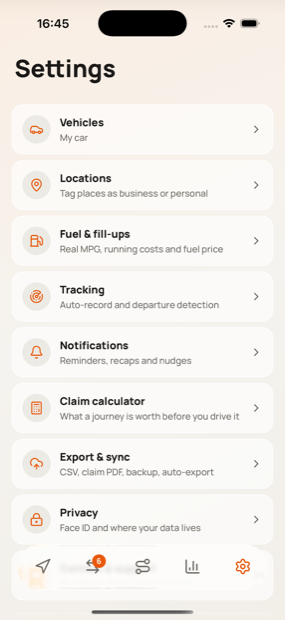
There is no sign-up screen in Milesheet. There is no server holding your journeys, no password, and no way for us to see where you have driven — because there is nothing to see it with.
That was a deliberate choice, and it is not a free one.
What a location log actually is
A mileage tracker knows where you live, where you work, who your clients are, when you are away from the house and how long for. It is one of the most sensitive datasets an ordinary person generates, and it is generated automatically, in the background, for years.
The industry norm is to sync all of that to a server so it can be restored, shared and analysed. That is a genuine convenience. It also means a breach at a company you have never thought about exposes a map of your life.
We decided the right amount of your location data for us to hold was none.
What we gave up
Being honest about the trade:
- No cross-device sync out of the box. Your journeys live on the phone that recorded them.
- No web dashboard. There is no server to serve one.
- No "log in on your new phone and it is all there". You restore from a backup file instead.
- No usage analytics. We genuinely do not know which features are used most, which makes the app harder to improve.
- No password reset, because there is nothing to reset — which means if you lose the phone and the backup, the data is gone.
That last one is the real cost, and it is why the app nags about backups.
What you get
- No account to create, verify, or remember
- Nothing to breach, because there is no central store
- No subscription, because there is no server to pay for — hence one payment
- Exports that go only where you point them: your own Files folder, your own cloud drive, your own NAS
The trade, stated plainly
| With an account | Milesheet's way | |
|---|---|---|
| Sign-up required | Yes | No |
| Your locations on someone's server | Yes | No |
| Restore on a new phone | Automatic | From a backup file you keep |
| Web dashboard | Usually | No |
| Cross-device sync | Built in | Via your own cloud folder |
| Usage analytics informing the app | Yes | No — we cannot see anything |
| Breach exposes your movements | Possible | Nothing to breach |
| Subscription needed to fund servers | Usually | No servers, one payment |
| Lose phone and backup | Recoverable | Data is gone |
The last row is the real cost, and it is why the app keeps mentioning backups.
Where your data does go, if you ask it to
Sync is opt-in and it is yours. Point it at iCloud Drive, a folder in Files, or a WebDAV server on your own network, and Milesheet writes always-current CSVs and a full backup there. Each destination reports whether it actually worked, because a silent sync failure is worse than none.
Nothing is uploaded anywhere else, at any point, for any reason.
The one thing to do
Take a backup, and put it somewhere that is not the phone. That is the price of not having a server, and it takes about fifteen seconds.