 Milesheet
What happens to your trip if you swipe the app away
The failure mode every background-recording app has, and what an honest one does about it.

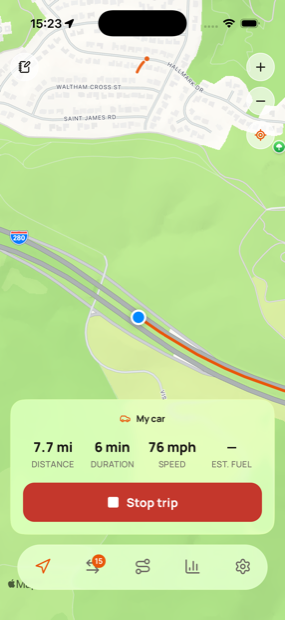
Any app that records in the background has the same weakness: the operating system, or the user, can stop it. What separates a trustworthy mileage log from an unreliable one is what happens next.
The thing people do without thinking
Swipe up in the app switcher to "close" apps. It feels like tidying. On iOS it is also an explicit instruction that the app should stop doing everything, including background location, and the system honours it.
So a trip that was recording stops recording, silently, mid-journey.
Why the app cannot simply carry on
It cannot. That is the point of the gesture, and no amount of clever engineering gets around it — an app that could ignore being force-quit would be a considerably worse thing to have on your phone.
What an app can do is notice, tell you, and not lose what it already had.
What Milesheet does
Every point is written as it arrives. Not buffered in memory and saved at the end. If recording stops at any moment, everything up to that moment is already on disk.
A dead-man's switch. While a trip records, the app keeps deferring a scheduled notification. If it stops deferring — because it is no longer running — the notification fires a few minutes later and tells you the drive is no longer being recorded.
That is deliberately backwards from how notifications usually work. Nothing has to run in order to warn you, because the thing that has failed is the thing that would have sent the warning.
Recovery on next launch. Open the app afterwards and it finds the interrupted trip and offers three choices: carry on recording, save what it has, or bin it. It does not decide for you, and it does not quietly discard a partial journey.
Android differs
On Android a recording trip shows an ongoing notification with a Stop button, so the fact it is running is visible the whole time. Swiping the app out of recents can still stop it, and some manufacturers are more aggressive about background apps than others, so the same watchdog applies.
What survives what
| Event | Recording continues? | Data kept? | You are told? |
|---|---|---|---|
| Screen off, phone in pocket | Yes | Yes | — |
| Another app in the foreground | Yes | Yes | — |
| Phone restarted | No | Yes, up to that point | Yes, on next launch |
| App swiped away in the switcher | No | Yes, up to that point | Yes, within minutes |
| App crashes | No | Yes, up to that point | Yes, on next launch |
| Battery dies | No | Yes, up to that point | Yes, on next launch |
| Location permission revoked mid-trip | No | Yes, up to that point | Yes |
The column that matters is the middle one. In every case the journey so far is already on disk, because points are written as they arrive rather than held in memory until the end.
What this means in practice
Assume it will happen occasionally, because it will. The measure of the app is not that it never gets interrupted — it is that an interruption costs you a notification and a tap, rather than a journey you only discover is missing in April.
The wider principle: if a mileage log can lose data silently, you cannot trust any of it, because you have no way of knowing which journeys are missing.